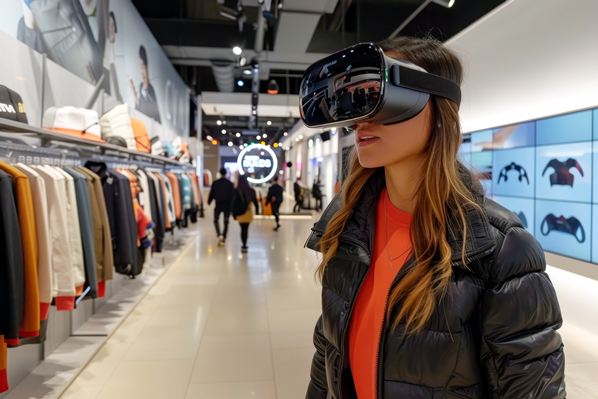
Virtual Reality creates a fully digital space you can step into. Augmented reality adds digital layers to the real world. Here, we focus on VR and how it supports each step of the CX journey, from first touch to repeat purchase.
Today, headsets are cheaper and lighter, and the web is friendlier to VR. That makes it easier to add a virtual try-on, host a virtual store, run a 3D product demo, or offer immersive shopping.
What Virtual Reality Adds to the Customer Journey: Trust, Speed, and Delight
VR works best when it solves buyer doubts. It gives context, scale, and a clear path to action. When done well, it feels like a confident shop visit that happens anywhere.
- Trust: seeing true scale and detail
- Speed: answers in one session
- Delight: moments worth sharing
- Access: no travel needed
- Comfort: design that respects the body
Trust grows when people see products at life size. A car brand can offer a safe trial in a virtual city. Shoppers can feel cabin space, check visibility, and test features. A medical device company can run a simulated procedure in a risk-free room. Buyers learn by doing, not guessing.
Speed ramps up because VR answers the big questions at once. Fit, color, options, and features sit in one guided scene. That can cut the number of calls and shorten the decision cycle. You remove back-and-forth and keep momentum.
A polished VR shopping experience can end with a short highlight clip. People can share it on social, tag friends, and drive new traffic. Remote buyers can explore without travel. A sales rep can host a quick session with a headset or a browser view.
Design for comfort from day one. Offer a seated mode, clear teleport points, and short sessions. Some people get motion sick if the camera moves too much. Keep navigation simple and let users rest. The outcome is a smoother immersive product demo, real try before you buy confidence, and lower return rates.
Explain Complex Products With 3D Demos and Guided Tours
Some products are tough to picture from photos. VR turns abstract features into clear steps. Picture a B2B equipment walkthrough where a guide shows safety zones, maintenance points, and control panels. Or a home solar setup that shows roof coverage, inverter location, and power flow. A travel brand can give a cabin tour that reveals storage space and seat pitch at true scale.
Use plain labels, a friendly voiceover, and hotspots with FAQs. Add tooltips for tech terms. Let users replay steps or skip ahead. The result is faster learning, fewer support tickets, and higher confidence during sales calls.
Let Shoppers Try Before They Buy to Cut Returns
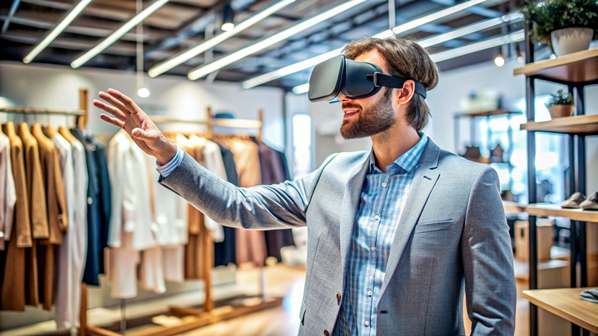
Fit and context sell products. In VR, a couch sits in a model room with your preferred layout. Eyewear rests on a face model with your frame width. Appliances slot into a kitchen plan and show door swing and airflow.
Track impact metrics. Watch for a return rate drop, fewer size exchanges, and faster checkout. Make the next step clear: Save your favorite setup to compare later. That small prompt keeps people engaged and moves them toward a decision.
Create Emotional Moments That Boost Brand Recall
Emotion sticks. Sound, scale, and story in VR wrap people in an experience. A sports brand can put fans on the field before a big play, then link to the cleats, gloves, or jackets used in that scene. Let users capture a three-second highlight. Include referral codes so you can track word of mouth and reward superfans.
Where VR Fits in the Journey: From Discovery to Loyalty
VR fits across the funnel when it gives value at the right time. Start light, earn attention, then guide users toward action.
Awareness and Discovery: Pop-up Demos and Virtual Stores
Use low-friction entry points. A pop-up demo at events with two headsets can draw a line, then move people to a WebXR room they can open in a browser. Record a short teaser video captured in VR and post it on social. Micro-CTA: Explore the virtual store and follow for updates. Add a simple opt-in at the end to capture emails for later. These steps put VR in customer journey maps without heavy lift.
Consideration: Virtual Try-ons, Configurators, and Product Comparisons
Side-by-side comparisons cut doubt. A car or bike scene can update color, trim, and price in real time. A home goods room can swap materials and sizes with one tap. Show total cost and delivery estimates inside the scene. Micro-CTA: Save your build and get a quote. This is where a VR try-on or configurator makes trade-offs clear.
Purchase: Smooth Handoffs From Headset to Mobile Checkout
Do not make buyers hunt for the buy button. Let them add to cart in VR and send the cart to a phone with a QR code or link. Use one-tap wallets and fraud-safe practices like 3D Secure and device checks. Show clear reassurance copy, such as Free returns or Try at home terms, right inside the scene. This keeps intent strong in the last mile.
Onboarding and Support: VR Training, How-to Rooms, and Community Events
Onboarding sets the tone for loyalty. Offer a guided unboxing, a safe practice space, and a live Q&A room hosted by staff. Link to your knowledge base, chat, and a quick poll. Track time to first value and support ticket drop to score VR onboarding outcomes. Community events, like monthly tips or owner meetups, keep people active and heard.
How to Plan a VR Pilot and Measure ROI
Keep your first project tight. Solve a real problem, ship fast, and measure.
Start With One Use Case and a Clear Success Metric
Pick one moment with pain or high value. Fit issues, complex demos, or training pain are great starts. Define success upfront. Use conversion rate lift, average order value, return rate drop, lead quality, time to first value, and NPS. Set a small goal, such as a 10 percent conversion lift or a 20 percent drop in returns. Clear targets make decisions simple.
Pick the Right Hardware and Software Stack
Keep the stack simple. Use WebXR for easy access in a browser, or a native app for deeper features. Meta Quest 3 offers reach and cost control. Apple Vision Pro fits premium demos with high detail. Mobile-based viewers help awareness. Plan integrations for CRM or CDP tags, your product feed, and analytics events. Export 2D clips and screenshots for SEO and social. That content can fuel ads and help explain the experience.
Design for Comfort, Access, and Safety
Make sessions short, under 10 minutes if you can. Add captions and readable text. Provide a no-headset fallback, such as video or 3D on the web. Include a safety screen and parental guidance if needed. Keep controls to a one-button flow and test with first-time users.
Measure ROI and CX, Protect Privacy, and Scale What Works
Track events such as time in scene, interactions, add-to-cart, and cart sent to phone. Measure dwell time alongside purchase and support metrics. Compare cohorts who used VR with those who did not. Respect privacy, ask for consent, collect only what you need, and store data securely. After 4 to 6 weeks, keep the top scenes, cut low performers, and plan version two. Look for solid ROI and repeatable wins.
Next Steps
VR builds trust with true scale, speeds decisions with clear answers, and creates delight that people share. Start small and stay focused. If you want a low-risk start, run a VR pilot with one product line. The next buyer is ready to try before they buy. Are you ready to meet them there?